A native human command, mapping, remote-operations, and safety console that turns touch, device motion, voice, Lidar missions, and selected camera targets into authenticated robot intent—then waits for R.O.B. to confirm who actually owns control.
CONTROL / REQUESTROBOT CONFIRMEDADMIN MEDIAISOLATED
5 HzFull controller snapshot
4 secControl-confirmation deadline
8 PTYsIndependent terminal tabs
4KMax-detail remote desktop
TLS 1.3Pinned Cerebro connection
01 Manual command deck
Every control state, transmitted as one fresh intent.
ROBController does not send disconnected button events and hope the robot reconstructs operator intent. Five times per second it emits a complete controller snapshot: independent left and right touch demands, a full device-attitude matrix, yaw/pitch/roll, base and mechanism states, speed, direction, playback state, location, and the current speech transcript.
That snapshot becomes stale as a unit. A connected controller still starts as CONTROL UNCONFIRMED; only Cerebro's live authority response naming this exact device turns the persistent status green.
LLEFT TREAD
RRIGHT TREAD
FLIPPERLACTBRAKESSPEEDVOICEMASTER
01.1
Independent dual-touch tank control
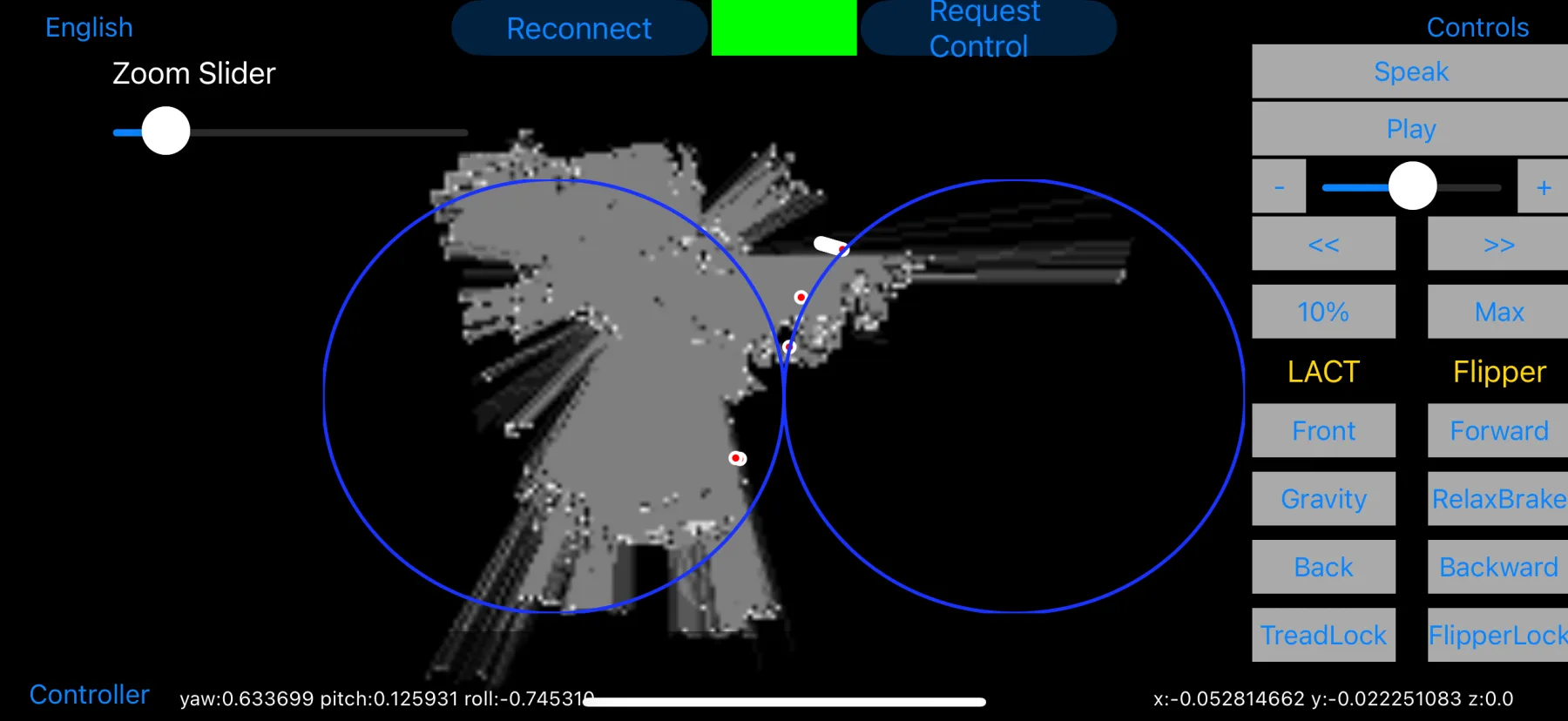
Two circular pads track separate touches, clamp each touch to its half of the display, normalize each side to approximately ±1, and return both to an explicit neutral sentinel on release. The operator can drive each tread directly instead of collapsing tank motion into a single generic joystick.
01.2
A dedicated iPad command console
The iPad now has a real adaptive command-console layout instead of inheriting an unrepaired storyboard. It keeps the map and narrative visible beside the manual mechanisms in landscape, then reflows into a bounded portrait stack while preserving the same authenticated control and safety state as iPhone.
01.3
Motion and location context
Core Motion supplies the 3×3 rotation matrix plus yaw, pitch, and roll at the same 5 Hz cadence. Core Location contributes latitude and longitude when authorized. These values travel with the command state so Cerebro can interpret them in the same freshness window.
01.4
Robot-confirmed control authority
Request Control moves the status to an amber waiting state. Only a fresh Cerebro reply naming this controller displays CONTROL GRANTED BY ROBOT; another controller, autonomy, a missing reply, or a disconnect remains visibly unconfirmed. Reconnect also clears stale action state before establishing a new link.
02 Cerebro control plane
A green indicator means the robot proved who it is.
ROBController becomes connected only after encrypted transport, exact certificate pinning, a fresh reciprocal proof, and application-level session acceptance all succeed. Discovery is convenient; it is never trusted as identity.
Bonjour browsing filters paired robot UUID and protocol metadata. A manual host/port v2 path exists for controlled networks, but both routes still require the same certificate pin and reciprocal proof.
Replay-resistant framing
Every RCTL v2 frame carries type, bounded payload length, increasing sequence, and message UUID. Malformed headers, repeated or decreasing sequences, and payloads above 4 MiB are rejected.
Device-only secrets
The pairing profile is stored in iOS Keychain as AfterFirstUnlockThisDeviceOnly—not UserDefaults—and a secure pairing field handles replacement. Cerebro can revoke this controller without affecting another operator device.
Resilient reconnection
Failed links reconnect with jittered exponential backoff from one to thirty seconds. The retired plaintext transport is available only through an explicit engineering flag and never becomes an automatic downgrade.
03 Authenticated remote operations
The Mac console, without opening VNC or SSH to the room.
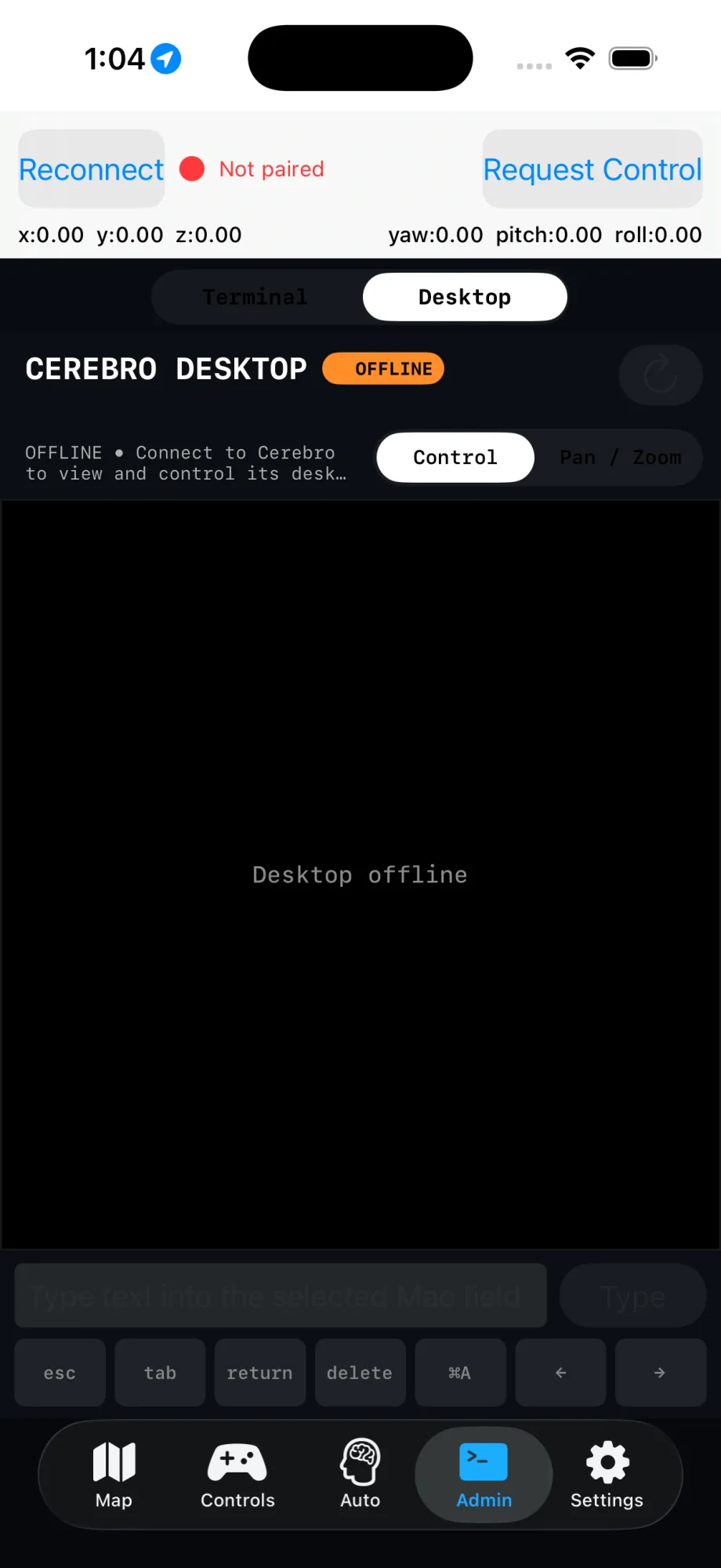
The Admin workspace gives an explicitly authorized operator a real remote desktop and independent terminal tabs on the Mac running Cerebro. Both use the existing pinned robot connection, the exact live session, and an Administrator profile bound to this controller—not a reusable VNC password or a copied shell credential.
Readable remote desktop
Max Detail negotiates up to 4096×2160 at two frames per second; Fast uses up to 960×540 at eight. Tap, drag, secondary-click, scroll, 12× pan/zoom, full-screen overlays, and a bounded keyboard strip are available only after macOS grants Screen Recording and Accessibility.
Eight persistent terminal tabs
Each tab is a real independent xterm-256color login shell owned by Cerebro, with touch and hardware keyboards, scrollback, reconnect, resize, close warnings, and an Open Codex shortcut. The controller never executes commands locally or stores an OpenAI API key.
One authorization boundary
A paired, non-revoked operator credential and a completed encrypted Administrator profile must both name this device. Output returns only to the exact authenticated session; revocation closes desktop input and every affected shell without disturbing unrelated controllers.
Current iPhone Simulator capture · Admin → Desktop
04 Human-gated robot actions
A proposal is not motion.
ROBController is the visible approval and outcome console for bounded Cerebro proposals. It runs no Gemini model itself. Ordinary actions remain manual outcome workflows; approved catalog gestures and the separately armed live startup test are Cerebro-owned measured executions with cancel-and-hold available throughout.
look_at, play_gesture, request_pick, navigate_relative, stop_motion, and run_startup_test. Exact argument keys are enforced; raw joint arrays and extra model prose are rejected.
Bounded navigation
Relative travel is capped at ±1 meter, yaw at ±π, and speed scale at 0.35. Requests expire within 120 seconds; detail text is capped at 2,048 characters and the entire proposal at 64 KiB.
Measured startup approval
A monitorless live startup appears only after Cerebro has armed one immutable approved two-arm gesture and passed fresh preflight. Approve is the final safety checkpoint; an audible warning precedes motion, and Cerebro reports completion only after measured settling.
Idempotent coordination
A sender-plus-call-ID ledger replays the last known status, absorbs reordering, keeps cancellation tombstones, admits one open proposal, and stays bounded to 128 entries.
05 Bounded autonomy
Choose the mode. Choose the person. Keep the stop.
Start Social Roam creates a unique autonomy session centered on the activation pose with a five-meter radius, a 0.20 maximum speed scale, an eight-hour expiry, and an allow-list of talk, look-at-person, idle gesture, roam, and stop behavior. Visual Follow Mode instead requests a fresh main-camera preview, lets the operator tap one detected person, and sends a short-lived authorization with bounded following distance and tread speed.
Follow authorization is bound to the selected candidate—not any nearby face or body
Treads stop on target loss, missing depth, stale belly RGB-D, stale RPLidar, or blocked terrain
Insta360 delay may re-aim the camera and waist but never moves the treads
Social Roam stop is immutable, retransmitted while disconnected, and restored after app restart
SESSION / SOCIAL_ROAMHUMAN AUTHORIZED
Zone
5.0 m
Speed
0.20 max
Planner
Cerebro local
Geometry
Fresh RPLidar
Illustrative status surface
06 Live RPLidar maps + missions
Calibrate the room. Save the route.
ROBController keeps live Lidar visible across map styles, preserves zoom while choosing destinations, and can calibrate R.O.B.'s perceived location by long-pressing the actual position, setting the robot to map center, or using device GPS with a persisted east/north correction. The Missions menu saves named multi-stop paths that can be reopened, reversed, edited, or deleted.
Add ordered stops directly on the map and reuse any saved stop as a destination
Destination requests still pass through operator authorization and Cerebro safety checks
Polar returns, occupancy maps, publisher pose, and IMU attitude remain available
Map style changes preserve both the live scan overlay and the operator's current zoom
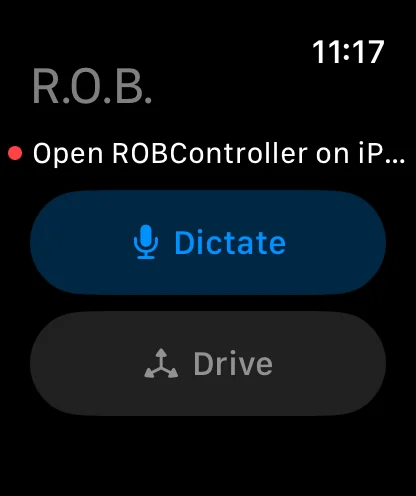
The SwiftUI Watch companion never stores a Cerebro credential. It sends versioned, bounded commands through the paired iPhone, and the phone relays drive only while its app is active and its Cerebro connection is fully authenticated.
Touch begin requests master authority; a radial mixer turns the one-finger vector into normalized differential treads. Touch end sends braked neutral, then releases control. Leaving the view, lowering the wrist, losing reachability, backgrounding the phone, deactivating WatchConnectivity, or missing the heartbeat triggers the same stop path. Motion is never queued for replay.
08 Voice and language
Hold to speak. Keep the transcript inside the live snapshot.
Touch-down creates an Apple Speech request in record/measurement mode, streams microphone buffers, and shows the best transcription live. Touch-up cancels. The current transcript rides with the controller state rather than becoming a separate unbounded command channel.
More than fifty locale choices span major English, Spanish, French, Chinese, Portuguese, German, Dutch, Danish, Italian, and many single-locale languages. Choosing one sends an explicit output-language command to Cerebro.
A mature UIKit cockpit with modern Swift safety boundaries.
The app combines Objective-C++ orchestration and adaptive iPhone/iPad interfaces with Swift networking, pairing, action/autonomy protocols, maps, remote desktop, terminal emulation, follow-target selection, and Watch relay logic. The Watch target is pure SwiftUI. Each boundary has a small, versioned wire contract instead of sharing UI state across devices.
Adaptive iPhone and iPad command decks; robot-confirmed control status; touch, Core Motion, location, and speech; QUIC/TLS pairing; bounded action and live-startup approval; visual follow authorization; Social Roam; calibrated Lidar maps and saved missions; authenticated remote desktop and eight-tab terminal; SwiftUI Watch dictation and drive relay.
INTENTIONALLY NOT LOCAL
ROBController does not run Gemini, MLX, face recognition, path planning, or physical arm execution. Camera previews, desktop frames, proposals, and telemetry come from Cerebro; the controller supplies authenticated human intent and renders the robot's measured or confirmed state.
OPERATOR REQUIREMENTS
Remote desktop requires explicit macOS Screen Recording and Accessibility permissions. Administrator shells require a completed encrypted Administrator profile bound to the controller. Software stops supplement rather than replace the robot's physical E-stop and independent watchdogs.
Orbitus Robotics · built on the physical platform
Software that knows it has a body.
R.O.B.'s applications are designed around real cameras, real networks, real actuators, and the discipline required to put intelligent behavior near a moving machine.