
Orbitus Robotics
ROBCodeAgent Support
Secure local coding sessions. ROBCodeAgent turns the Mac bridge into a focused Codex workspace and securely carries the same sessions to an iPhone or iPad on your local Wi-Fi network. ROBCodeAgent is made by Orbitus Robotics and works with a separately installed Codex CLI. It is independent of ROBController and Cerebro.
ROBCodeAgent is available on the App Store. Version 0.1.1 adds remaining-usage details and direct question replies; its iPhone and iPad rollout follows Apple review. The matching Mac bridge is available below. App Store distribution excludes China mainland.
The app and Mac companion now use the ROBCodeAgent name. Existing sessions and paired-device identities are preserved.
Replace terminal-tab sprawl
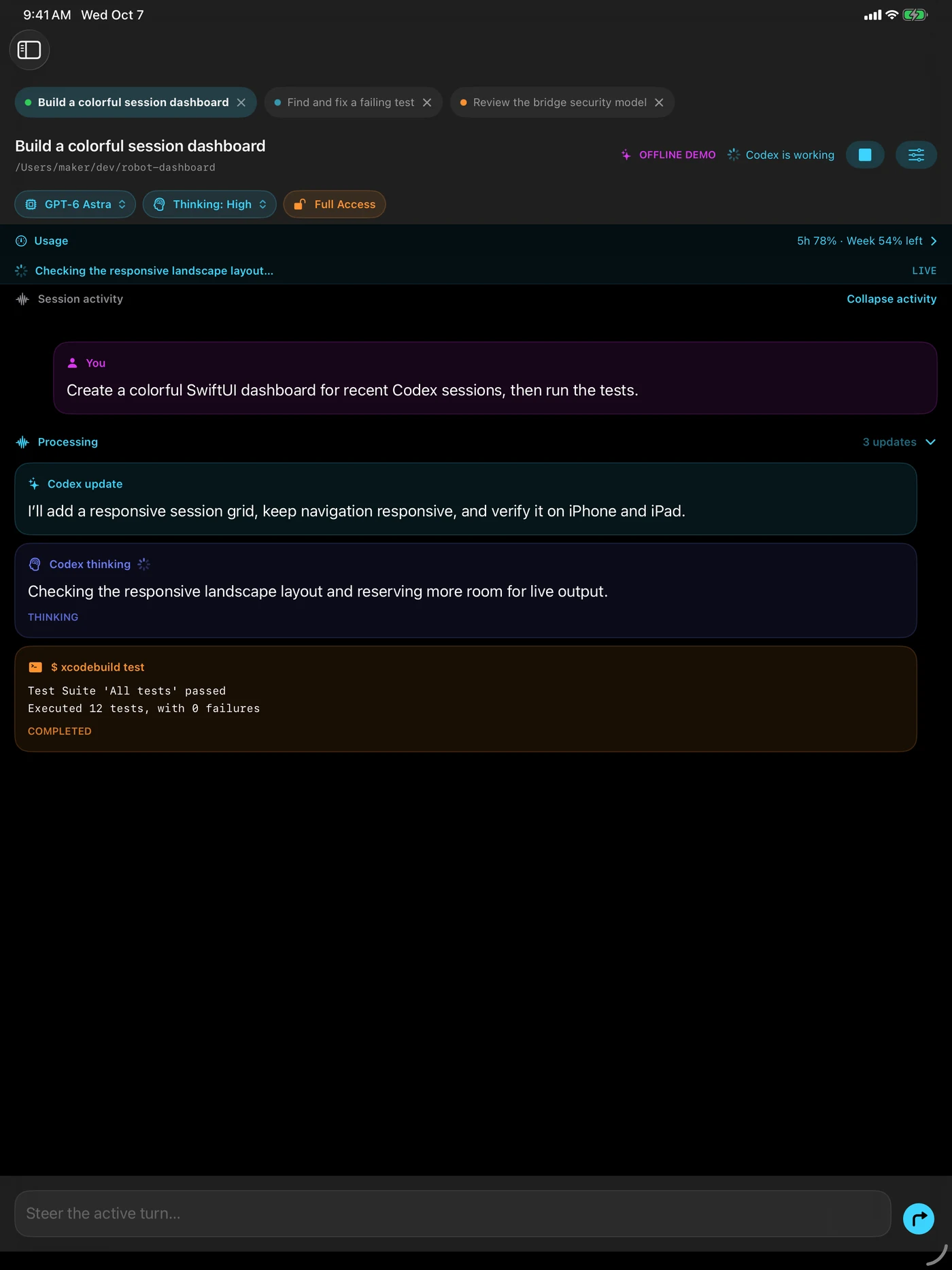
Keep several Codex conversations open in one horizontal session bar instead of spreading work across separate Terminal windows. Each tab has its own saved conversation, prompt draft, live stream, paging state, model, thinking effort, and Stop control, so sessions can work simultaneously without blocking or overwriting one another.
- Work natively on the Mac. ROBCodeAgent Bridge now includes a terminal-style session workspace with searchable history, live command output, approvals, prompts, and per-session controls.
- Continue from iPhone or iPad. Open the same saved sessions, read their history, send or steer prompts, and stop an individual turn from a paired device. New sessions appear automatically while connected—no Refresh button required.
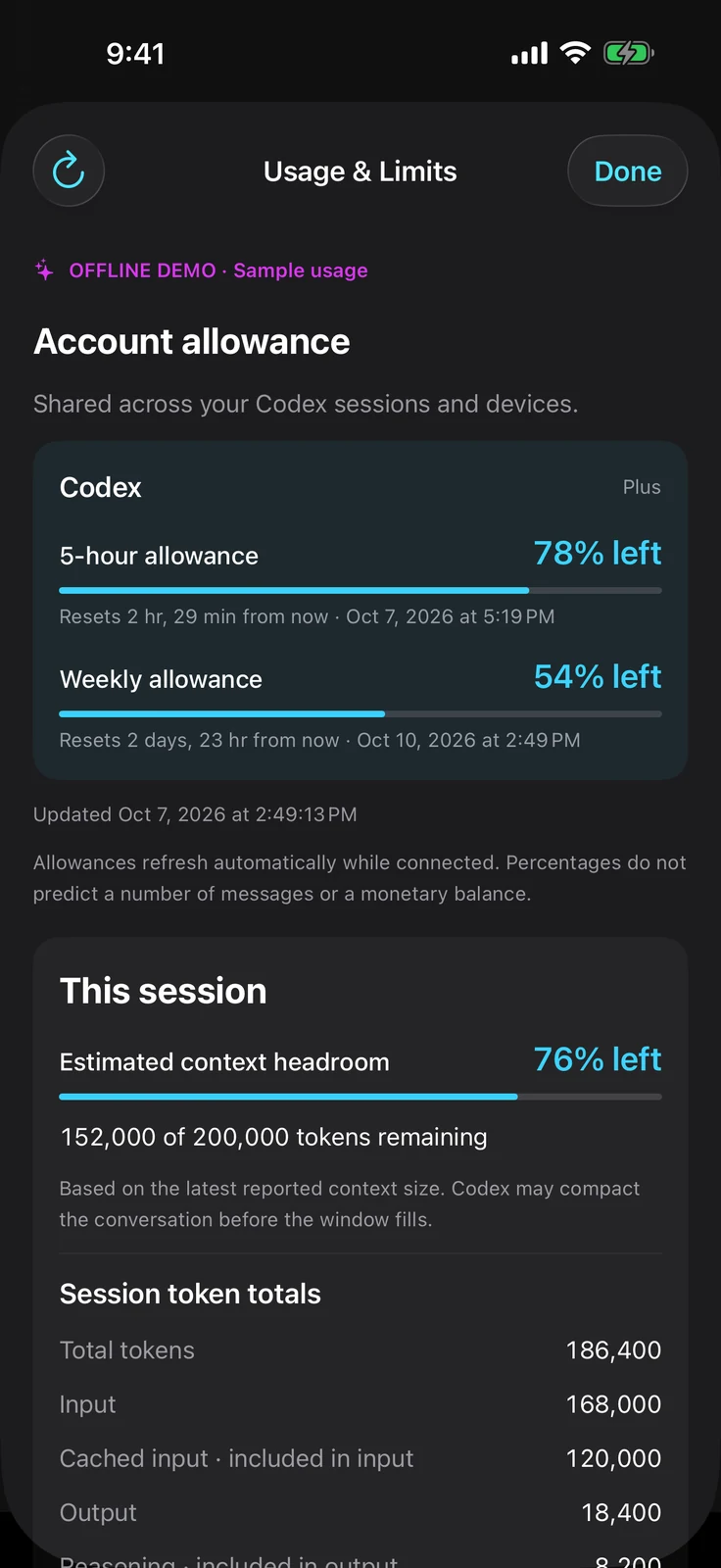
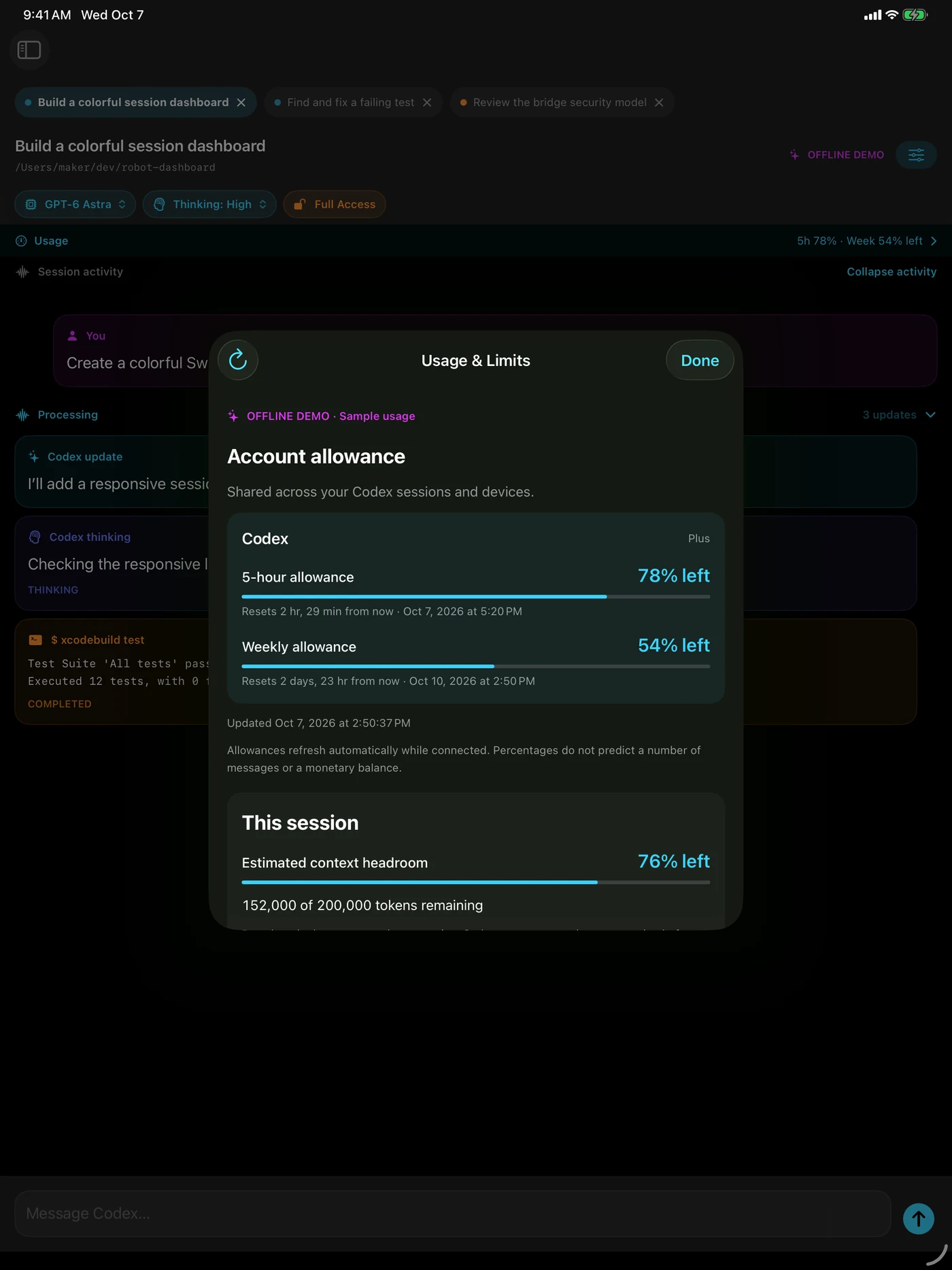
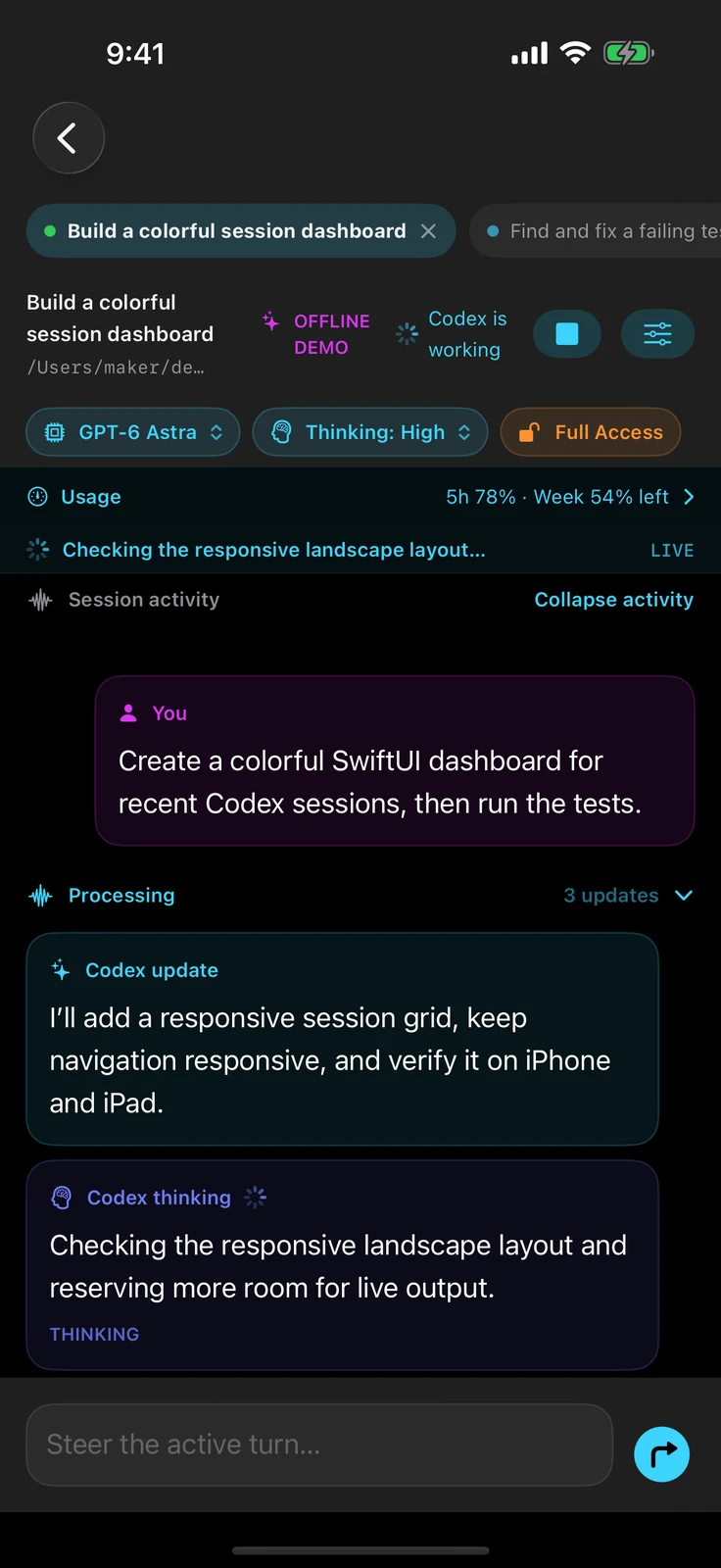
- Know how much is left. Open Usage & Limits for remaining percentages, reset countdowns and dates, account allowances, and credit balances when Codex reports them. Readings refresh automatically and on demand. Session token totals and estimated context headroom have their own section; missing or outdated readings are labeled clearly. Both apps need version 0.1.1 and live allowance data requires a supported Codex sign-in.
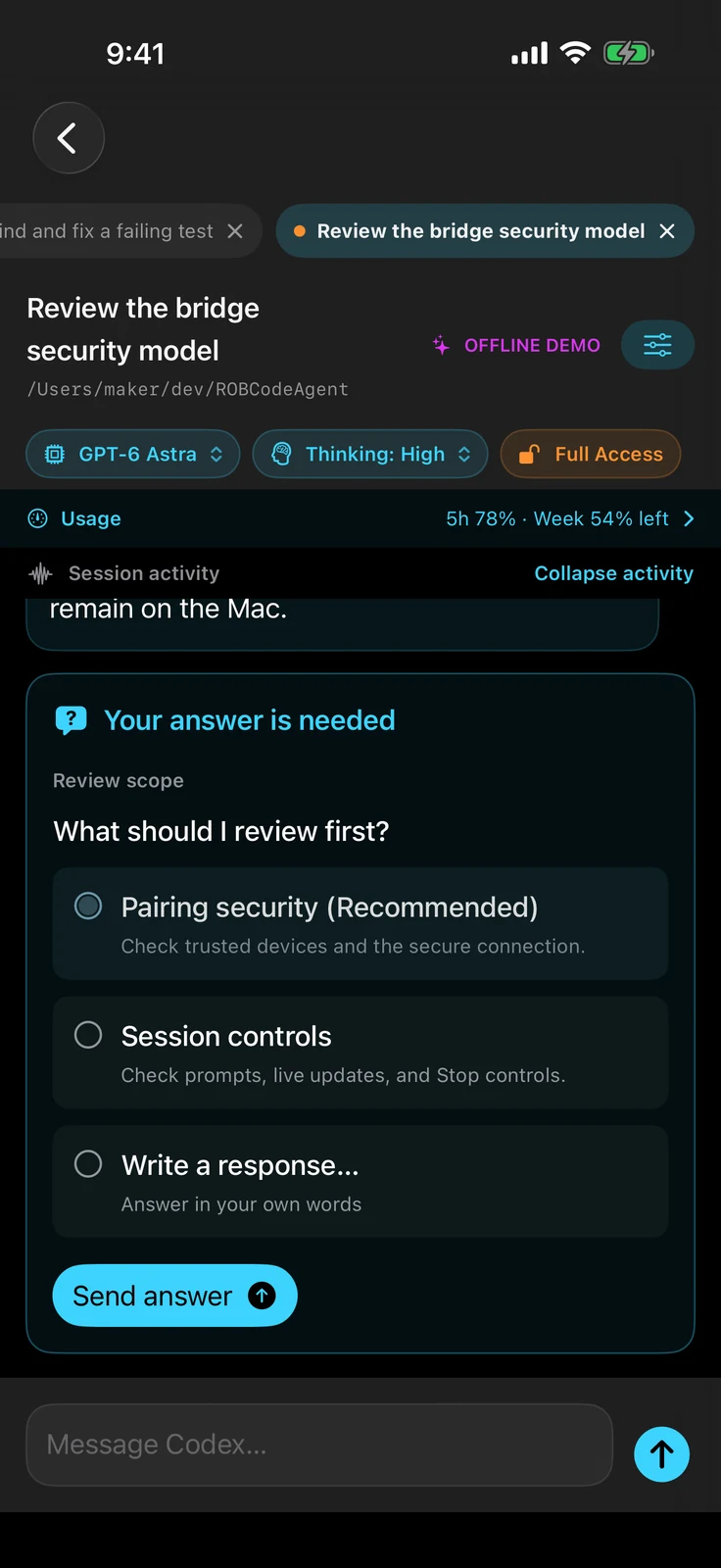
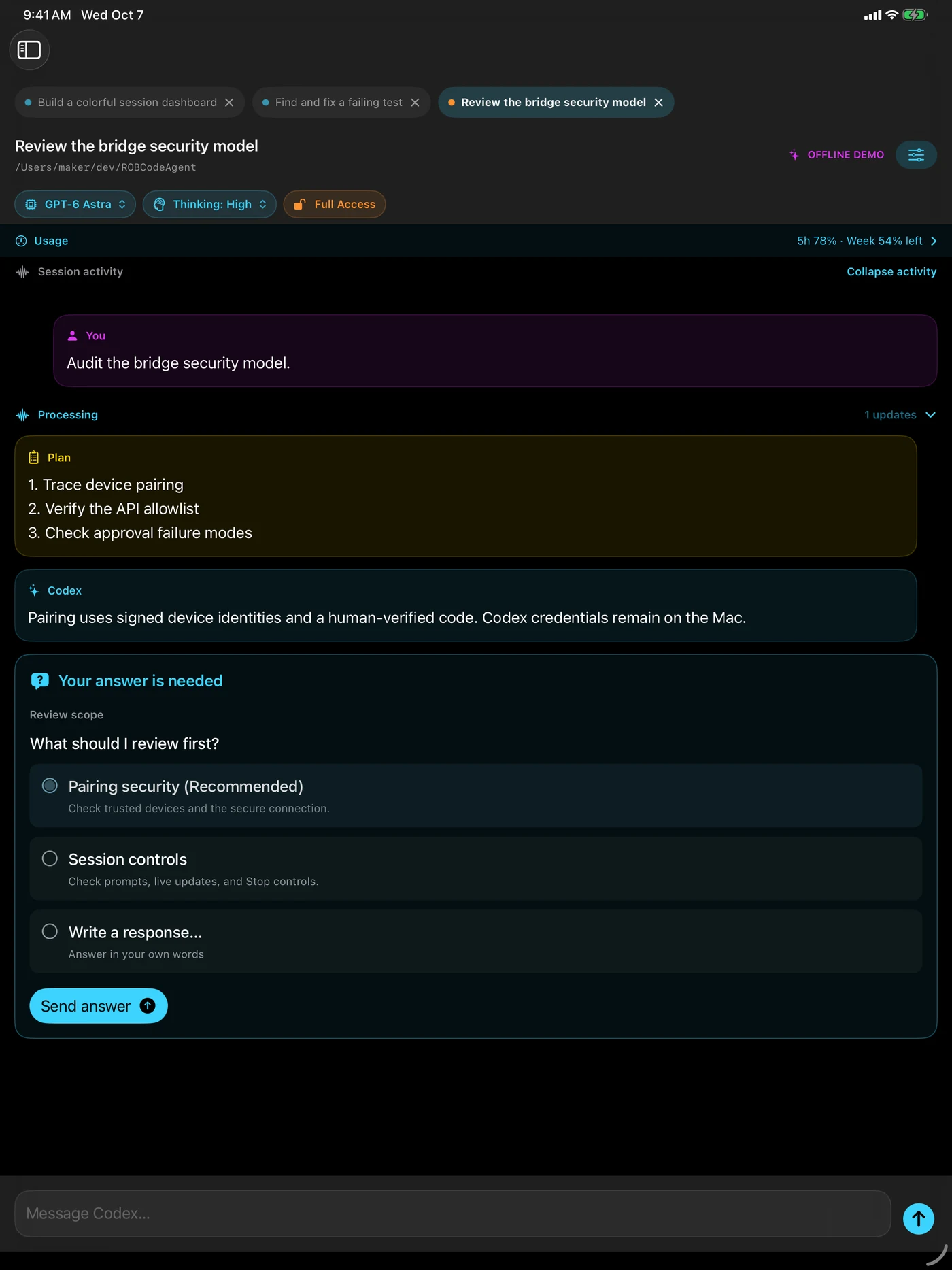
- Answer with a tap. Select a suggested answer to a Codex question and tap Send answer. The final Write a response… option always lets you reply in your own words. Question drafts stay with their session, and answered or canceled questions close across paired Mac, iPhone, and iPad screens. Update both apps to 0.1.1 to use direct replies.
- Expand the activity behind each answer. Processing groups are open by default and show commentary, thinking summaries, plans, tool inputs and results, progress messages, and command output. Collapse or reopen activity while keeping the final response visible. Existing conversations load the detailed history available from Codex. When a step has no readable thinking summary, its card explains that no summary text is available.
- Follow work as it happens. Live updates remain visible during a turn. Expand long output while it streams, scroll back through earlier activity, and return with Follow live.
- Open history without the long wait. Recent messages and full tool results load in small pages, including within a long turn. Earlier messages stay available on demand, and stalled requests offer a retry.
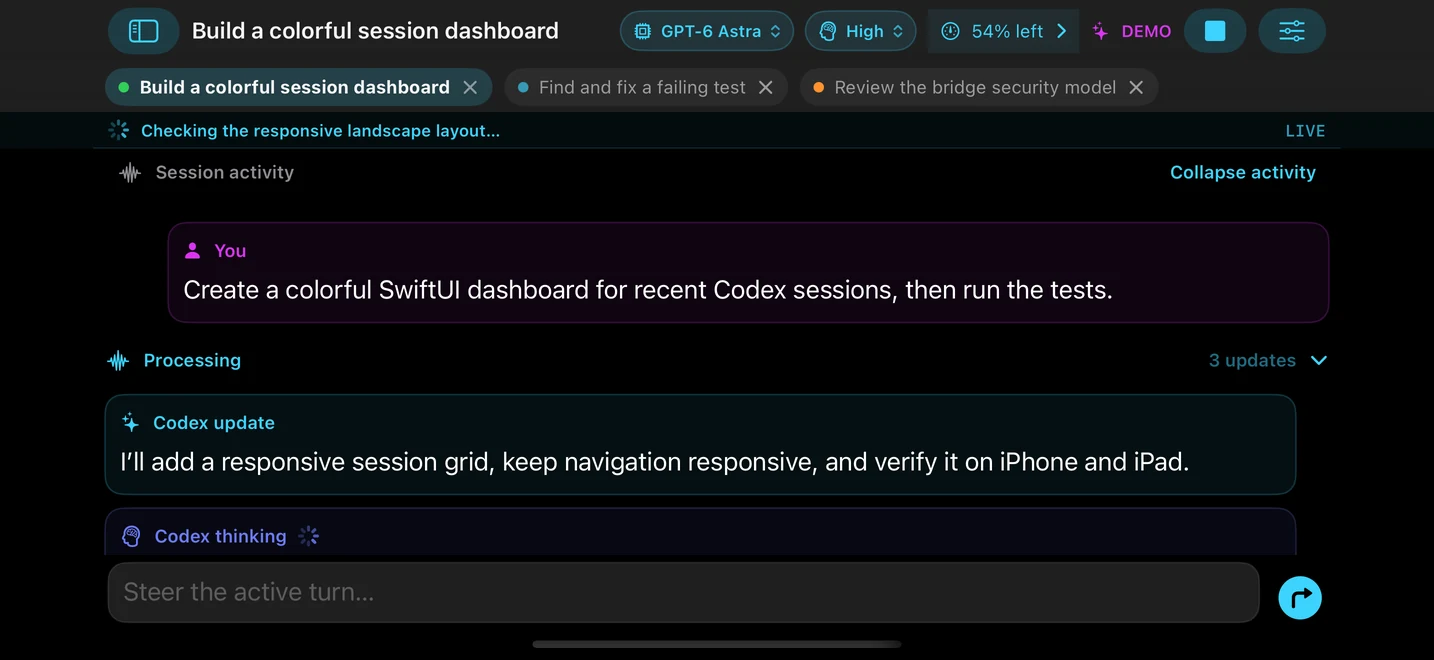
- Make landscape count. On iPhone, the session takes the full landscape width with a compact translucent title bar and composer, leaving more room for output without hiding the conversation title.
- Choose current and future models. A labeled menu loads the signed-in Mac account’s live Codex catalog, including GPT-6 Astra when available, so new models do not require a ROBCodeAgent update.
- Control thinking depth. A neighboring menu exposes every level the selected model supports—including Max or Ultra when available—for both new and existing sessions on Mac, iPhone, and iPad.
- Read session settings clearly. The Mac settings sheet keeps Model and Effort labels fully visible, with wrapped descriptions and grouped controls.
- Recover cleanly. Open tabs and their selected session survive relaunches, while bridge readiness and turn events keep every connected screen in sync.
- Keep Codex local. Your Codex login stays on the Mac; the bridge exposes only a small allowlist over an encrypted, paired local connection.
- Allow Full Access. ROBCodeAgent sessions run without approval pauses so they remain usable remotely. Pair only devices you trust: a paired device can direct Codex to run commands and change files with your Mac user account’s access.
Know your remaining usage
Choose an answer or write your own
See the multi-session workspace
Download ROBCodeAgent Bridge for Mac
Download ROBCodeAgent Bridge 0.1.1
The download is a universal application for Apple silicon and Intel Macs running macOS 14 or later. It is signed with the Orbitus Robotics Developer ID, uses Apple’s hardened runtime, and is notarized by Apple.
- Version:
0.1.1(build 1019) - Size: 4,836,409 bytes
- SHA-256:
42bc4f6cd7888f366c9d8bc05c26b29abb4e9607b1b73c7a3028408f1b78670f
Connect your devices
- Download and unzip ROBCodeAgent Bridge on your Mac.
- Move ROBCodeAgent Bridge.app to your Applications folder and open it.
- Make sure the Codex CLI is installed and signed in on the Mac.
- Open ROBCodeAgent on the iPhone or iPad while both devices are on the same Wi-Fi network.
- Select the Mac, compare the six-digit code on both screens, request pairing on iOS, and approve it on the Mac.
No API key, SSH key, or Codex password is copied to the iPhone or iPad. Codex authentication remains on the Mac.
ROBCodeAgent deliberately keeps session permissions at Allow Full Access. It does not pause a remote session for command or file-change approvals, so only pair an iPhone or iPad you trust.
Help and privacy
For installation or connection help, use the Orbitus Robotics contact form. Learn how local session data and pairing information are handled in the ROBCodeAgent privacy policy.